
- Open an OS/2 window and set the drive to x:, where x represents your CD-ROM drive.
- Set the current directory to \db2\os2\language\install, where language is the two-character country code that represents your language (for example, EN for English). Table 38 lists the codes for each available language.
- Enter the install command.
The IBM DB2 for OS/2 Version 5 Installation window opens.
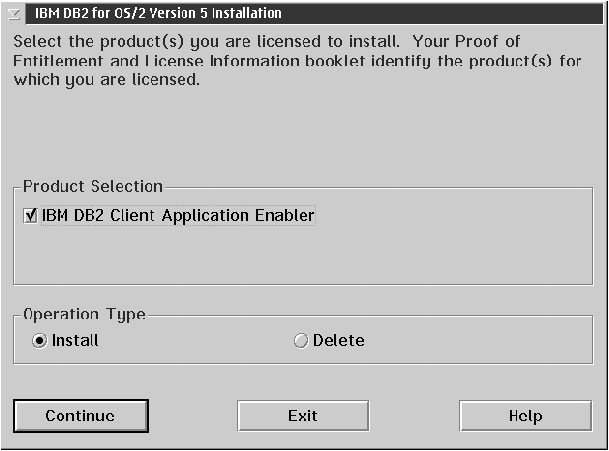
Select the IBM DB2 Client Application Enabler check box, and click on the Continue push button.
Invoke the online help by clicking on the HELP push button at any time. The Install window opens.
- If you want the config.sys file updated, click on OK. A backup copy of your existing file is kept as config.0xx. This is the recommended method.
- If you do not want the config.sys file updated, clear the Update CONFIG.SYS check box and click on OK. You will need to manually update your config.sys file with the values that are stored in the config.add file.
The Install - directories window opens.
For the Install - directories window, complete the entries as follows:
- Select the components you want to install.
- In the File directory field, type the directory where you want
the product installed. The default directory is
c:\sqllib.
Note: If a DB2 Version 5 product is already installed on this workstation, you must install on the same drive and directory. - Click on the Disk Space push button to see how much space you have on each of the drives on your machine, and to change disks if necessary.
- Click on the Install push button to begin the installation.
A progress window appears until the installation is complete. You can click on the Stop push button at any time to end the installation.
